
Zamknij menu
iTech MagazineiTech Magazine
    Facebook X (Twitter) Instagram
    środa, czerwiec 24
    Trending
    • C vs C++: Key Differences Every Developer Should Know (2026)
    • Autonomous Meaning: What It Really Means (With Tech Examples)
    • Best Vibe Coding Tools in 2026: Top Picks Tested and Ranked
    • Remote Work Setup: How to Build a Home Office That Actually Works (2026 Guide)
    • SOC Analyst: What They Do, Skills You Need, and How to Start
    • Cybersecurity Jobs in 2026: Roles, Salaries, and How to Get Started
    • AI Agents News 2026: What’s Happening Right Now and Why It Matters
    • Social Media Tools to Boost Your Engagement in 2026
    iTech MagazineiTech Magazine
    Facebook X (Twitter) Instagram
    ✉️ Contact Us →
    • AI & Tools
    • Software & Apps
    • Gadgets & Reviews
    • How-To Guides
    • Tech News
    • Blogging & Online Business
      • Marketing cyfrowy
      • Media społecznościowe
      • Web Dev
      • Gaming
    • Our Free Tools
      • YouTube to MP3 Converter Free
      • IFSC Code
      • Click Speed Test: CPS Test Online (1s to 100s)
      • Domain Age & WHOIS Checker: Free Instant Lookup
      • Domain Authority Checker: Instant DA, PA & SEO Analysis Tool
      • Space Bar Counter: Test Your Speed Online | iTech Magazine
      • Password Generator: Create Strong, Secure Passwords Instantly
    iTech MagazineiTech Magazine
    Strona główna " Prosta metoda naprawienia błędu "Strona internetowa niedostępna"
    Tech News

    Prosta metoda naprawienia błędu "Strona internetowa niedostępna"

    Sobi TechBy Sobi Techmarzec 8, 2023Brak komentarzy3 Mins Read
    Facebook Twitter Pinterest LinkedIn Tumblr E-mail
    Prosta metoda naprawienia błędu "Strona internetowa niedostępna"
    Prosta metoda naprawienia błędu "Strona internetowa niedostępna"
    Udział
    Facebook Twitter LinkedIn Pinterest E-mail

    Table of Contents

    • 📋 Wprowadzenie
    • 📋 What Is the “Webpage Not Available” Error?
    • 📋 Causes of the “Webpage Not Available” Error
    • 📋 Tips to Fix the “Webpage Not Available” Error
    • 📋 Troubleshooting Steps to Resolve the “Webpage Not Available” Error
    • 📋 Wnioski

    Wprowadzenie

    Are you getting the “Webpage Not Available” error when trying to access a website? This error can be frustrating and difficult to resolve. This blog will provide an overview of the “Webpage Not Available” error, potential causes, as well as tips and troubleshooting steps to help you resolve the issue.

    What Is the “Webpage Not Available” Error?

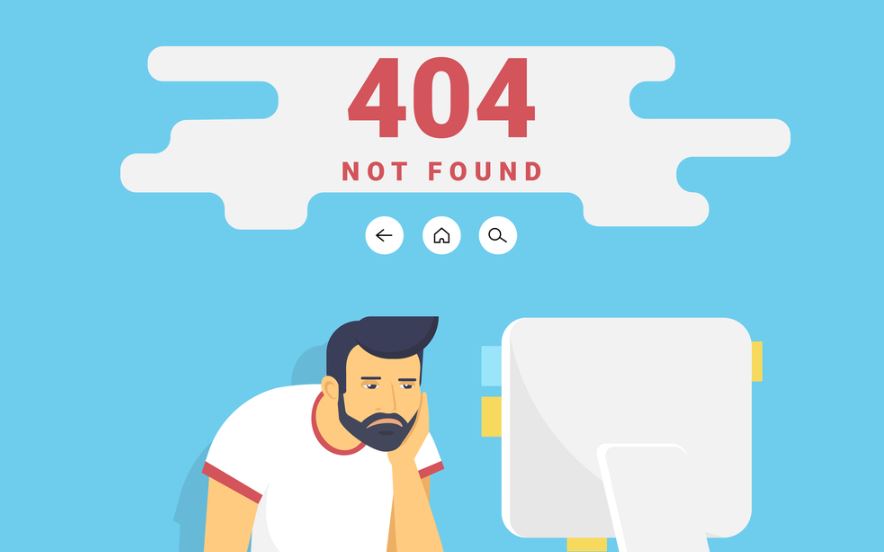
    The “Webpage Not Available” error is an error message that is displayed when a web page cannot be accessed or found. This can be due to a number of causes, including a web page being deleted or moved, the web page having a technical issue, or the web page being blocked by a firewall. In some cases, the error message can also refer to a problem with the individual’s internet connection. If the error message is displayed, it’s best to try to access the page from a different computer or network to try and determine the cause of the error.

    Causes of the “Webpage Not Available” Error

    The “Webpage Not Available” error can be caused by a number of factors. The most common causes are a loss of internet connection, a service outage from the web hosting provider, or a problem with the web page code. Additionally, the error may be caused by a problem with the browser or the device being used to access the web page. If the error persists, it is advisable to check the internet connection, contact the web hosting provider, or contact a web developer to investigate the issue.

    Tips to Fix the “Webpage Not Available” Error

    The “Webpage Not Available” error is one of the most common error messages encountered when browsing the web. It is usually caused by a problem with your internet connection, the website you are trying to access, or your browser settings. To troubleshoot this error, first check your internet connection by opening another webpage and make sure that it loads correctly. If the problem persists, you may need to reset your browser settings or clear the browser’s cache. Additionally, if you think the problem is related to the website, you can contact the website’s webmaster or technical support to ask if they are experiencing any issues.

    Troubleshooting Steps to Resolve the “Webpage Not Available” Error

    If you are experiencing the “Webpage Not Available” error when attempting to load a website, there are a few troubleshooting steps you can take to try and resolve the issue. First, make sure there are no connectivity issues by checking your internet connection. If your connection is working properly, try opening the website in a different web browser. Additionally, you can clear the cache and cookies of your web browser to ensure any stored data is not preventing you from accessing the website. If the issue persists, try pinging the website with the command prompt to make sure your device can connect to the website. If none of these steps resolve the issue, it is likely the website you are trying to access is down.

    Wnioski

    The “Webpage Not Available” error can be a frustrating experience, but it doesn’t have to be permanent. By understanding the causes of the error and following some troubleshooting steps, you can easily identify and fix the issue. If the problem persists, contact your Internet Service Provider or website administrator for further assistance. By following these steps, you should be able to get back online and enjoy the websites you love in no time.

    Explore More Guides & Resources Articles:

    • Łatwa konwersja istniejącej strony internetowej na stronę responsywną
    • Napraw "Serwer nieosiągalny" podczas wykonywania połączenia telefonicznego
    • 10 typowych błędów w tworzeniu stron internetowych: Wszystko, co musisz wiedzieć
    Udostępnij. Facebook Twitter Pinterest LinkedIn Tumblr E-mail
    Sobi Tech
    • Strona internetowa

    Sobi is the CEO of iTech Magazine and a Tech & AI writer with over 10 years of experience. He covers the latest in artificial intelligence, emerging technologies, and digital innovation. Sobi holds a Google Digital Marketing & E-Commerce Certificate and his work has been featured across leading tech publications.

    Related Articles For Reference

    C vs C++: Key Differences Every Developer Should Know (2026)

    czerwiec 18, 2026

    Autonomous Meaning: What It Really Means (With Tech Examples)

    czerwiec 18, 2026

    SOC Analyst: What They Do, Skills You Need, and How to Start

    czerwiec 16, 2026

    Komentarze są zamknięte.

    Kategorie
    • AI & Tools (2)
    • Blogging & Online Business (31)
    • Marketing cyfrowy (19)
    • Gadgets & Reviews (29)
    • Gaming (21)
    • How-To Guides (1)
    • Media społecznościowe (18)
    • Tech News (30)
    • Web Dev (19)
    iTech Magazine
    Facebook X (Twitter) Instagram Pinterest
    • Strona główna
    • Sitemap
    • Polityka prywatności
    • Skontaktuj się z nami
    • O nas
    © 2026 iTechMagazine.com. Wszelkie prawa zastrzeżone

    Wpisz powyżej i naciśnij Enter, aby wyszukać. Naciśnij Esc, aby anulować.