

Table of Contents
Video has always been one of the most powerful tools in a marketer’s toolbox. The problem? For most small business owners, producing it was expensive, time-consuming, and just plain complicated. That changed fast. AI video marketing has made it possible for businesses with no studio, no camera crew, and no production budget to create polished, professional video content on a regular basis. And the use cases go way beyond a branded intro clip.
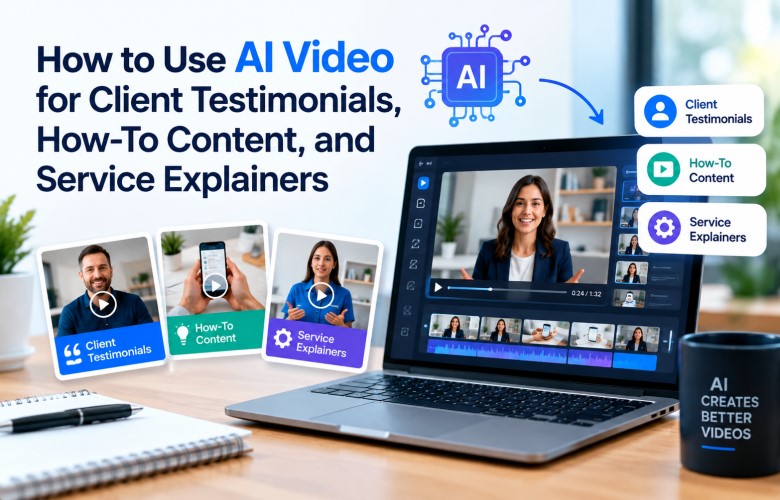
This post breaks down three of the most practical and underutilized applications: client testimonials, how-to content, and service explainers. If you run a service-based business and you’re not using video for these yet, here’s where to start.
Why Video Still Wins for Service Businesses
Before getting into the specifics, it’s worth understanding why video matters so much for service businesses in particular.
When someone hires a plumber, an IT company, a landscaper, or a marketing firm, they’re making a trust decision. They can’t hold a product in their hands. They’re hiring a person or a team, and they’re hoping that person shows up, does the work, and solves the problem.
Video closes that trust gap faster than any other format. Puts a face to the name. It shows the work. It answers the questions people are already asking. And when it’s done well, it moves someone from “maybe” to “I’m calling them.”
The barrier used to be cost and complexity. That’s no longer a valid excuse.
Using AI Video for Client Testimonials
Testimonials are gold. Every business owner knows this. The challenge is that most customers are happy to say something nice but reluctant to sit down in front of a camera.
AI video tools change the dynamic in a few ways.
Option 1: Animate a written review into a video
Most customers will leave a written review before they’ll record a video. With AI video tools, you can take that written testimonial, pair it with a simple visual or branded background, and turn it into a short shareable clip. Some platforms even generate a voiceover from the text automatically.
The result is a 30 to 60 second video that highlights what the customer said, with your branding, contact info, and a visual that matches your services. It’s far more engaging than a screenshot of a Google review.
Option 2: AI-assisted customer video editing
If a customer does record something, even on their phone, AI editing tools can clean it up. Background noise removal, auto-captions, trimming dead air, and adding branded intro or outro slides are all things AI handles in minutes rather than hours.
A shaky phone video from a happy customer can become something you’re proud to post on your website and social media.
Option 3: Slide-based testimonial videos with AI narration
Some AI tools let you build a simple slide deck with text and images, then generate a professional narration track automatically. This works well when you want to share a customer story but don’t have video footage. You can walk viewers through the before, the problem, the solution, and the result, all in under two minutes.
The key with testimonial videos is to keep them focused on the customer’s experience and outcome, not your services. Let the story do the selling.
Using AI Video for How-To Content
How-to content is one of the most searched formats on the internet. People ask questions. They want answers. They prefer those answers in video form when they can get them.
For a service business, this is a massive opportunity. Think about the questions your customers ask you on a weekly basis. Those questions are topics.
Some examples by industry:
- A landscaping company: “How to prepare your lawn for winter”
- An IT support company: “How to set up two-factor authentication on your business accounts”
- A plumbing company: “How to shut off your water main in an emergency”
- A marketing company: “How to write a Google Business Profile description that actually gets clicks”
With AI video tools, you don’t need to record footage of yourself doing the task. You can use screen recordings, stock visuals, or even AI-generated animations, and then add a voiceover explaining each step. The whole process can be done in an afternoon without any specialized equipment.
Why this works:
When you answer the questions your customers are already searching for, you show up in search results. You build credibility before someone ever calls you. And you create content that keeps working for you long after you publish it.
A good how-to video isn’t just educational content. It’s a trust signal. It says, “We know what we’re doing, and we’re willing to show you.”
Using AI Video for Service Explainers
A service explainer is exactly what it sounds like: a short video that explains what you do, who it’s for, and why it matters. Done well, it’s one of the most valuable pieces of content a service business can have.
Most service businesses have a website. Most of those websites rely entirely on written copy to explain complex or unfamiliar services. That’s a problem, because a lot of visitors won’t read. They’ll skim for a few seconds, not find what they’re looking for, and leave.
An explainer video embedded on a service page changes that. Research consistently shows that video on a landing page increases the amount of time people spend on the page, and it improves conversion rates.
AI makes building these videos straightforward.
What a good service explainer covers:
- The problem the service solves (lead with this)
- Who experiences that problem (make it specific)
- What the service actually does
- How the process works in simple terms
- What the customer can expect as an outcome
AI tools that help:
Several AI platforms let you generate explainer videos from a script or even from a URL. You paste in a description of your service, the tool generates a storyboard, selects relevant visuals from a library, and produces a narrated video. Most of them also let you customize the voiceover, add captions, and adjust the branding.
For businesses that offer multiple services, having a short explainer for each one creates a much better user experience than a page full of text. Visitors can watch a 90-second video and immediately understand whether the service is what they need.
A Few Things to Keep in Mind
AI video is a powerful tool, but it’s not magic. Here are a few practical notes before you dive in.
Keep it short. Most people won’t watch a five-minute video from a business they don’t know yet. For testimonials, 30 to 60 seconds is plenty. That for how-to content, aim for two to four minutes depending on the complexity. For explainers, 90 seconds to two minutes is the sweet spot.
Match your brand. Use consistent colors, fonts, and messaging across every video. AI tools give you flexibility, but that flexibility can work against you if every video looks different. Set a template and stick to it.
Prioritize captions. A significant percentage of social media video is watched without sound. Captions are not optional anymore. Most AI tools will generate them automatically, so there’s no reason to skip this step.
Don’t wait for perfect. The biggest mistake businesses make with video is waiting until everything is perfect before posting anything. A simple, clear, helpful video outperforms no video every single time.
The Bottom Line
Small businesses have always had great stories to tell. They have happy customers, useful knowledge, and services worth explaining. The gap was never the content. It was the cost and complexity of producing it.
AI video has closed that gap. You don’t need a production crew or a marketing budget that rivals a Fortune 500 company. You need a clear message, a simple tool, and the willingness to put something out there.
Start with one. Pick a recent customer story, a common question you get, or your most popular service. Turn it into a video. Post it. See what happens.
Most businesses that do this are surprised by how much easier it was than they expected, and by how well it performs.