
Cerrar Menú
Revista iTechRevista iTech
    Facebook X (Twitter) Instagram
    miércoles, mayo 13
    Trending
    • Boredflix Review 2026: What Is It, Is It Safe, and Best Alternatives?
    • How to Create the Best Google Ads Campaign: Step-by-Step Guide
    • How to Develop a Successful Digital Strategy for Your Business
    • 5 sencillos pasos para activar el modo oscuro en Snapchat
    • Scribd Downloader: How to Access Scribd Documents Offline (2026 Guide)
    • La forma más fácil de convertir imágenes en texto
    • Pikashow App: How It Works, and Top Safe Alternatives in 2026
    • Green Cloud Engineering: Building Sustainable Infrastructure in 2025
    Revista iTechRevista iTech
    Facebook X (Twitter) Instagram
    ✉️ Contact Us →
    • AI & Tools
    • Software & Apps
    • Gadgets & Reviews
    • How-To Guides
    • Tech News
    • Blogging & Online Business
      • Marketing digital
      • Redes sociales
      • Desarrollo web
      • Juegos
    • Our Free Tools
      • IFSC Code
      • Click Speed Test: CPS Test Online (1s to 100s)
      • Domain Age & WHOIS Checker: Free Instant Lookup
      • Domain Authority Checker: Instant DA, PA & SEO Analysis Tool
      • Space Bar Counter: Test Your Speed Online | iTech Magazine
      • Password Generator: Create Strong, Secure Passwords Instantly
    Revista iTechRevista iTech
    Inicio " Easy Method to Fix the “Webpage Not Available” Error
    Tech News

    Easy Method to Fix the “Webpage Not Available” Error

    Sobi TechPor Sobi Techmarzo 8, 2023No hay comentarios3 Mins Leer
    Facebook Twitter Pinterest LinkedIn Tumblr Correo electrónico
    Easy Method to Fix the “Webpage Not Available” Error
    Easy Method to Fix the “Webpage Not Available” Error
    Compartir
    Facebook Twitter LinkedIn Pinterest Correo electrónico

    Table of Contents

    • 📋 Introduction
    • 📋 What Is the “Webpage Not Available” Error?
    • 📋 Causes of the “Webpage Not Available” Error
    • 📋 Tips to Fix the “Webpage Not Available” Error
    • 📋 Troubleshooting Steps to Resolve the “Webpage Not Available” Error
    • 📋 Conclusión

    Introduction

    Are you getting the “Webpage Not Available” error when trying to access a website? This error can be frustrating and difficult to resolve. This blog will provide an overview of the “Webpage Not Available” error, potential causes, as well as tips and troubleshooting steps to help you resolve the issue.

    What Is the “Webpage Not Available” Error?

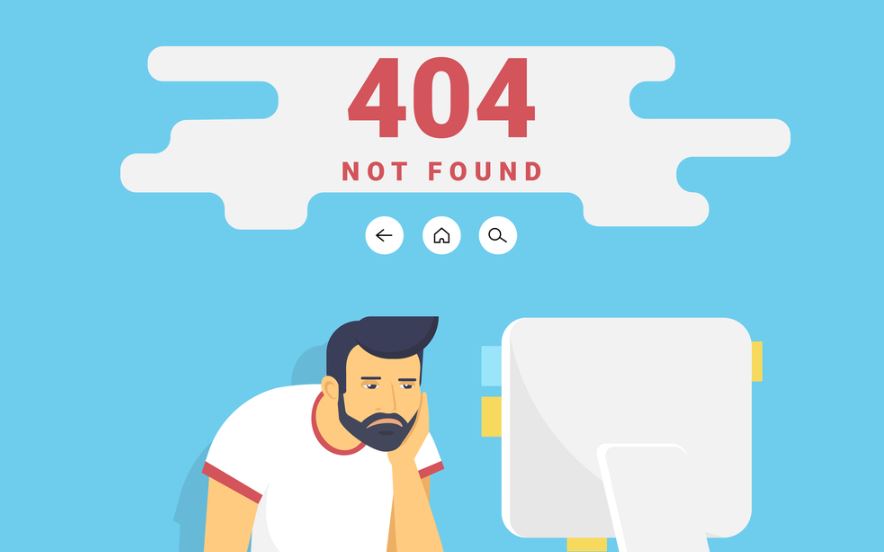
    The “Webpage Not Available” error is an error message that is displayed when a web page cannot be accessed or found. This can be due to a number of causes, including a web page being deleted or moved, the web page having a technical issue, or the web page being blocked by a firewall. In some cases, the error message can also refer to a problem with the individual’s internet connection. If the error message is displayed, it’s best to try to access the page from a different computer or network to try and determine the cause of the error.

    Causes of the “Webpage Not Available” Error

    The “Webpage Not Available” error can be caused by a number of factors. The most common causes are a loss of internet connection, a service outage from the web hosting provider, or a problem with the web page code. Additionally, the error may be caused by a problem with the browser or the device being used to access the web page. If the error persists, it is advisable to check the internet connection, contact the web hosting provider, or contact a web developer to investigate the issue.

    Tips to Fix the “Webpage Not Available” Error

    The “Webpage Not Available” error is one of the most common error messages encountered when browsing the web. It is usually caused by a problem with your internet connection, the website you are trying to access, or your browser settings. To troubleshoot this error, first check your internet connection by opening another webpage and make sure that it loads correctly. If the problem persists, you may need to reset your browser settings or clear the browser’s cache. Additionally, if you think the problem is related to the website, you can contact the website’s webmaster or technical support to ask if they are experiencing any issues.

    Troubleshooting Steps to Resolve the “Webpage Not Available” Error

    If you are experiencing the “Webpage Not Available” error when attempting to load a website, there are a few troubleshooting steps you can take to try and resolve the issue. First, make sure there are no connectivity issues by checking your internet connection. If your connection is working properly, try opening the website in a different web browser. Additionally, you can clear the cache and cookies of your web browser to ensure any stored data is not preventing you from accessing the website. If the issue persists, try pinging the website with the command prompt to make sure your device can connect to the website. If none of these steps resolve the issue, it is likely the website you are trying to access is down.

    Conclusión

    The “Webpage Not Available” error can be a frustrating experience, but it doesn’t have to be permanent. By understanding the causes of the error and following some troubleshooting steps, you can easily identify and fix the issue. If the problem persists, contact your Internet Service Provider or website administrator for further assistance. By following these steps, you should be able to get back online and enjoy the websites you love in no time.

    Explore More Guides & Resources Articles:

    • Convierta un sitio web existente en uno responsivo con un método sencillo
    • Fix "Server Unreachable" When Making a Phone Call
    • 10 Errores Comunes en el Desarrollo Web: Todo lo que debe saber
    Comparte. Facebook Twitter Pinterest LinkedIn Tumblr Correo electrónico
    Sobi Tech
    • Página web

    Sobi is the CEO of iTech Magazine and a Tech & AI writer with over 10 years of experience. He covers the latest in artificial intelligence, emerging technologies, and digital innovation. Sobi holds a Google Digital Marketing & E-Commerce Certificate and his work has been featured across leading tech publications.

    Related Articles For Reference

    La forma más fácil de convertir imágenes en texto

    marzo 7, 2026

    Green Cloud Engineering: Building Sustainable Infrastructure in 2025

    noviembre 1, 2025

    Boost Your Property Management Efficiency with DGRNTE’s Automation Tools

    enero 20, 2025

    Los comentarios están cerrados.

    Categorías
    • Blogging & Online Business (30)
    • Marketing digital (19)
    • Gadgets & Reviews (29)
    • Juegos (21)
    • Redes sociales (18)
    • Tech News (26)
    • Desarrollo web (19)
    Revista iTech
    Facebook X (Twitter) Instagram Pinterest
    • Inicio
    • Mapa del sitio
    • Política de privacidad
    • Póngase en contacto con nosotros
    • Quiénes somos
    © 2026 iTechMagazine.com. Todos los derechos reservados

    Escribe arriba y pulsa Enter para buscar. Pulsa Esc para cancelar.